Upload two photos
Choose two clear photos, one consenting adult per image, and assign Dunker and Defender. Each JPG, PNG or WebP must be up to 8 MB, with 240–8000 pixels per side. Keep the face and outfit visible.
Upload 2 photos to make a 14-second Middle Finger Dunk AI video. Own the highlight with dunk-and-replay action, a 9:16 vertical MP4, and your choice of 480p or 720p. The reference and prompt setup are already included.
Get a 100% free opening preview when available. New verified accounts receive 10 free credits once for one 4s silent 480p preview. Sign in with Google or email. Full videos use 50 or 100 paid credits; packs start at $6.99 USD before tax. No app or prompt is needed.
Assign the player roles above. Each photo guides the assigned person's face, hair and outfit through the shots. AI results can vary.
Full video: ~14s · 480p · 9:16 MP4 Preview: ~4s · 480p · silent
Your account balance and preview availability will appear here.
Choose two clear photos, one consenting adult per image, and assign Dunker and Defender. Each JPG, PNG or WebP must be up to 8 MB, with 240–8000 pixels per side. Keep the face and outfit visible.
New verified accounts can claim 10 free credits once. An optional, roughly 4-second silent 480p preview uses 10 free credits when a daily place is available.
Choose Standard 480p for 50 paid credits or HD 720p for 100, with optional BGM. Download the roughly 14-second, 9:16 MP4 from My videos and share it as AI-generated fiction.
Fictional adults. A real AI-generated result.
 dunker
 defender
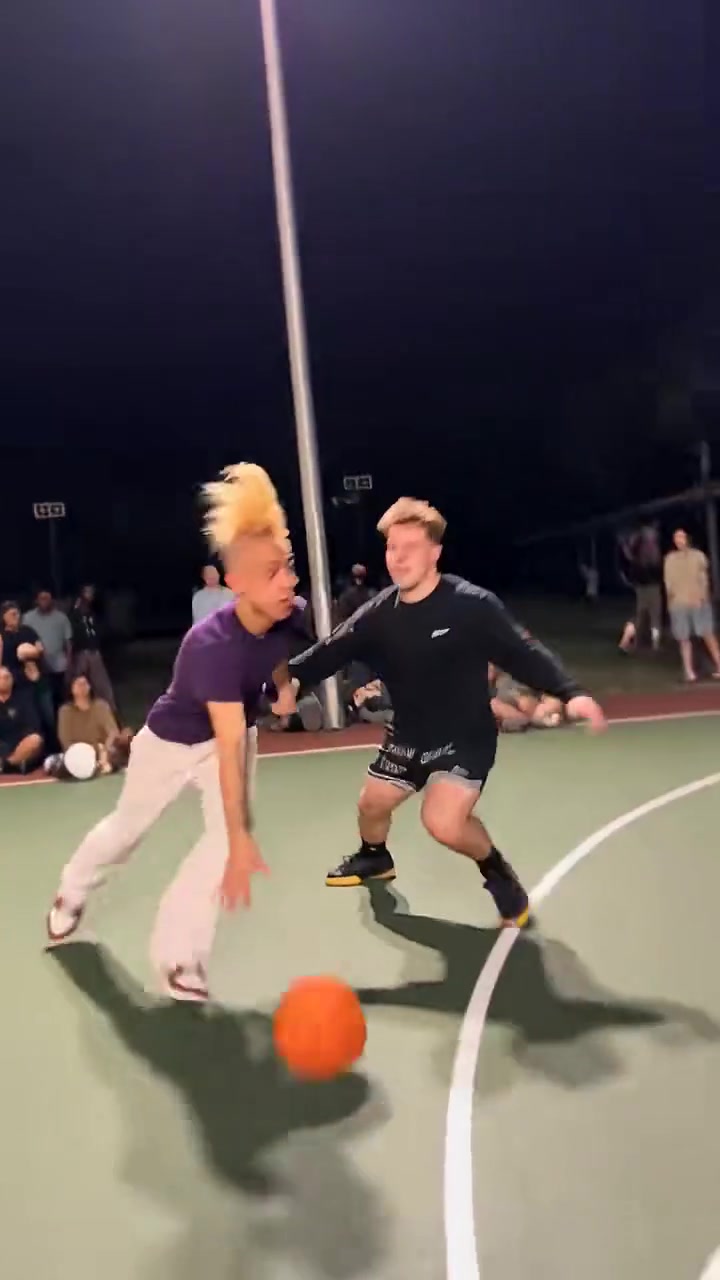
Middle Finger Dunk is a two-person AI basketball effect with an airborne dunk, replay angles and a final middle-finger close-up on a nighttime outdoor court. The Middle Finger Dunk Video Generator lets you make your own roughly 14-second version from two photos. The supplied reference guides the actions, camera moves and sequence of shots.
Start with the basketball setup already done. The reference, choreography, role instructions and vertical format are included. Your only media uploads are the two photos. Assign Dunker and Defender, choose quality and sound, and let the generator handle the video workflow. Zero prompt writing. Zero timeline editing.
Claim a 100% free 4-second silent preview with welcome credits when available. Go for the full scene in 480p or 720p, keep the original soundtrack on or switch it off, then download your 9:16 MP4 from My videos to share on TikTok or Instagram Reels. The soundtrack switch adds zero credits to the price. Choose the dunk effect you came for, with its setup included.
Recorded Standard run: 5m 42s. Our 2026-10-26 test completed a 14-second 480p video in 342 seconds from job creation to private save, including queue and processing. This is one recorded run; live waiting times depend on the provider queue.
Watch the real example and output notes, then make your version with two consenting adults. This independent tool requires photo permission and shared results labelled as AI fiction. Follow the destination platform’s music rules.
Updated
New verified accounts get 10 free credits once. A roughly 14-second full video uses 50 paid credits in Standard or 100 in HD. One-time packs start at $6.99 USD before tax. No subscription.
See the opening dunk effect for $0 when a place is available. New verified accounts receive 10 welcome credits once; an opening preview uses 10 free credits. No card is required.
Free previews are subject to availability. Free credits do not renew daily.
Get the complete dunk, replay and ending sequence in your chosen quality. Original sound is included at zero extra credit cost. Download your finished vertical MP4 from My videos.
Pay as little as $3.83 per Standard video with the 300-credit pack ($22.99 for 6 Standard videos, before tax). That is 45% lower per Standard video than buying 50-credit packs. The biggest pack covers up to 3 HD or 6 Standard videos.
Middle Finger Dunk pricingMiddle Finger Dunk turns two authorised adult photos into a roughly 14-second, 9:16 AI video of a basketball duo on a nighttime basketball court. Assign one photo each to Dunker and Defender. Each photo guides that person’s face, hair and outfit in group shots and close-ups; the reference guides the movement and scene. Watch the examples to see the tested effect. Likeness, hands and motion can contain AI errors.
The reference shows two players on a nighttime basketball court, an airborne dunk with a middle-finger gesture, replay angles and a close-up. Your two photos guide the Dunker and Defender roles. The original creator and first publication date have not been verified; this site does not claim to be the source of the effect.
The full dunk setup is included: basketball reference, role instructions, 14-second timing and 9:16 delivery. You upload two photos with zero prompt writing and zero reference-video uploads. That is our advantage over setting up a custom scene or customizing a standard template for this effect. The comparison page shows the workflow differences with Higgsfield and CapCut and links to their official documentation.
Yes. New verified accounts can claim 10 free credits once for one roughly 4-second silent 480p preview when available. No card is needed. The site admits up to 2 free previews per UTC day, shared across all accounts. Free credits do not renew daily. Availability resets at 00:00 UTC (08:00 Hong Kong). Full videos use paid credits.
Full videos are about 14 seconds in Standard 480p or HD 720p. Free previews are about 4 seconds at 480p and always silent. Choosing HD or adding BGM does not extend the clip. Generation waiting time depends on the provider.
Our recorded 480p test finished in 342 seconds (5m 42s) from job creation to the completed private video save, including queue and processing. The output is a 14-second clip. This is one real test recorded on 2026-10-26; live waiting times depend on the provider queue.
Videos use the preset’s vertical 9:16 format and download as an MP4. Free previews, Standard and HD keep the same portrait layout. Choosing HD changes the resolution. This preset does not offer an aspect-ratio selector.
No. You upload two photos; the preset supplies the reference video and instructions. Full videos can include the supplied BGM at no extra credit cost, or you can turn it off for a silent MP4. Free previews are always silent. Custom video and music uploads are not offered.
Upload two clear adult photos and assign them to Dunker and Defender. Try a roughly 4-second silent preview when available, or choose a roughly 14-second full video in 480p or 720p. Download the 9:16 MP4 from My videos, then upload it to TikTok or Reels. Keep both players visible when framing your post and label it as AI-generated.
Only with that adult’s permission for this AI edit and the rights to use the photo. The same rules apply to celebrities; a publicly available photo does not establish permission. You and the person shown must be 18 or over. Follow the Acceptable Use Policy, label shared results as AI-generated fiction, and do not create deceptive impersonation or fabricated endorsements.
A full Standard 480p video uses 50 paid credits; HD 720p uses 100. A 4-second preview uses 10 free credits from a separate balance. BGM adds no credits. One-time paid packs start at $6.99 for 50 credits, in USD before applicable tax.
A confirmed failed or timed-out job returns its reserved credits once to the same free or paid balance. A free preview place is returned only when the job fails before provider submission begins. A started or uncertain submission still counts for its original UTC day, even if generation fails. Payment refunds are reviewed separately under the Refunds policy.
Upload two individual photos, one consenting adult per image, assigned to Dunker and Defender. Each JPG, PNG or WebP must be no larger than 8 MB, with 240–8000 pixels per side. Choose a visible face and outfit. You and everyone shown must be 18 or over.
Yes. Your uploads and finished videos are private and use controlled download links. Photos are retained for seven days and videos for thirty days. Uploads are not used for public examples without separate permission. Generation providers process the submitted media and may have different retention periods; see the Privacy policy.
No. You create and download the video in this website using a modern browser. Sign in with Google or verify your email, upload two photos and confirm permission. CapCut is optional if you want to edit the downloaded MP4, add captions or edit your vertical video for your post.
No. This is an independent AI entertainment tool with no TikTok, CapCut, Higgsfield or recording-artist endorsement. The optional reference soundtrack does not grant a separate music licence. Follow the posting platform’s music rules, use photos with each adult’s permission and label the result as AI-generated fiction.
It is an alternative for this fixed basketball effect, with a limited free preview. New verified accounts receive 10 welcome credits once for an available 4-second silent preview. Full videos need 50 or 100 paid credits. It does not replace Higgsfield’s general reference-to-video controls, and no quality or price superiority is claimed.
No. This website generates a new AI basketball video from two photos and an included reference. CapCut templates apply a chosen layout and effects to the media you provide. You can use CapCut separately to edit the downloaded MP4. This is an independent service without CapCut affiliation.